GovOS
GovOS

eSubmission

A secure digital portal for submitting official documents and records to local government recording offices.
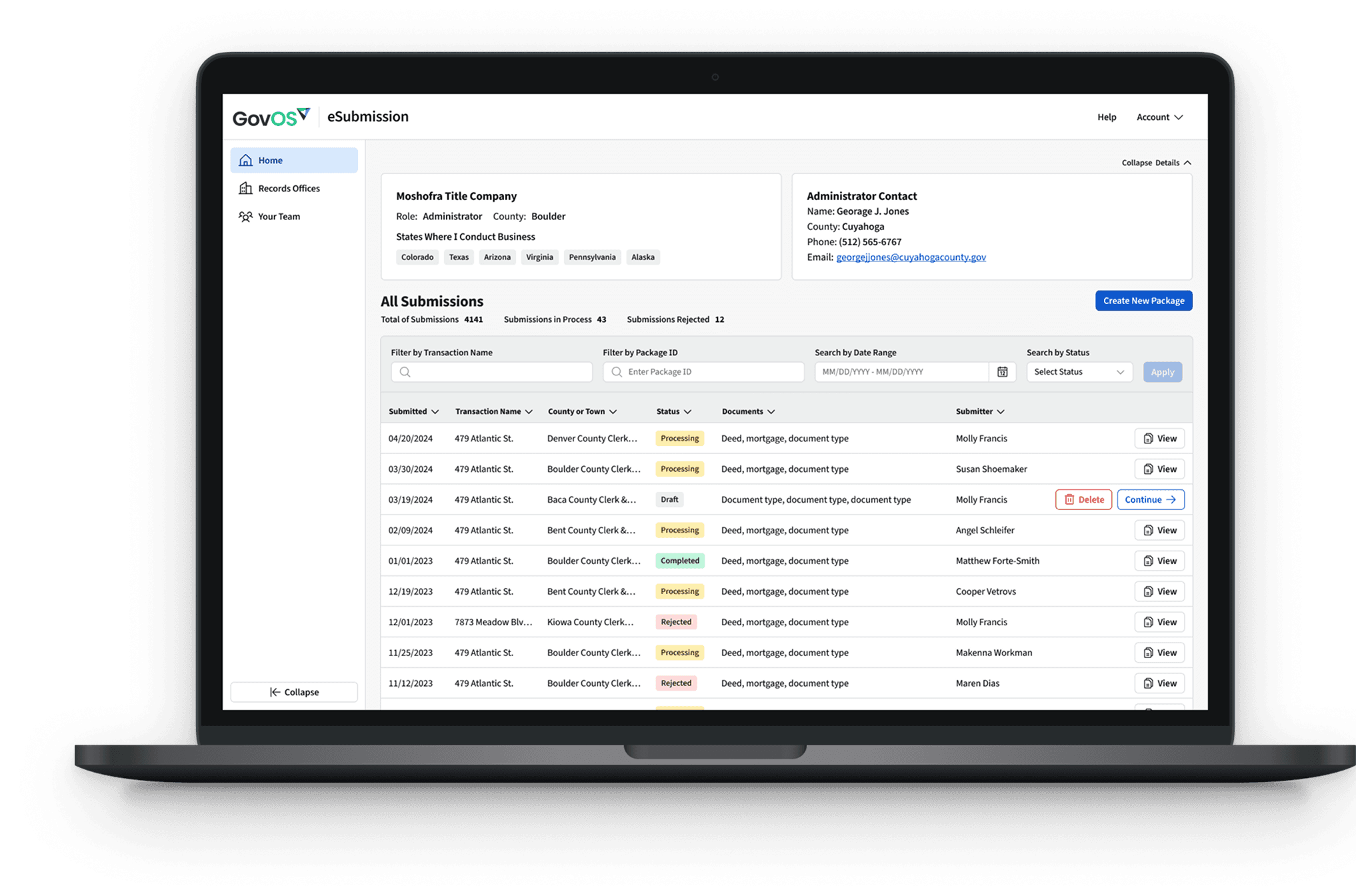

GovOS eSubmission dashboard — all submissions, statuses, and team at a glance

Recording a deed meant a vendor in the middle.

Counties scanned paper. Submitters paid a go-between. Nobody saw status until it cleared.

I designed a direct-to-county portal.

Upload. Validate. Pay by ACH. The county gets clean data. The vendor is gone.

Signing in and picking up a recent submission

One task at a time.

A step-by-step package. Jump around, or save and come back.

Creating a package — walking through a submission end to end

Invite a teammate in one modal.

Email, role, send. The old security loop is gone.

Inviting a teammate in a single modal

One ACH report. Per company. Per period.

The county authorizes the transfer. Reconciliation is a line, not a pile.

Running and authorizing an ACH report

Two drawn icon sets — CloudSearch Kiosk and GovOS Portal

Custom icons — one set for the CloudSearch kiosk, one for the GovOS portal, so every screen spoke the same visual language.

A title company submitter filing documents from her desk

Submitters drop the vendor fee.

One bulk ACH. Direct status. No go-between.

A county recording official working at his desk

Counties stop scanning paper.

One clean report. Serve submitters directly.

A county can’t buy what its staff can’t use.

Public-sector procurement asks for a VPAT — a written account of how a product measures up against Section 508 and WCAG. That made accessibility a design constraint, not a cleanup pass.

A keyboard path through every step of a submission. Fields and errors a screen reader can announce. Contrast that survives a county monitor, and focus that stays put inside a modal.

Citizen Completion Rate

42% to 86%

Validation Errors

34% to 8%

Time Saved

14.5min to 4.2 min

The Team

  • 1 Lead Product Designer
  • 1 Product Manager
  • Engineering partners
  • County & title stakeholders

Timing

  • 2023–2024

    Discovery through launch

  • Live

    Self-serve product shipped

Tools Used

  • Figma
  • Gemini
  • UserTesting
  • Miro
  • Jira
  • Claude

The Figma file.

Open prototype ↗

Up next — Bright HealthCare

Bright HealthCare

Prior Authorization Portal